How to Build Professional AI Websites with B12: A Step-by-Step Guide
Ship Your Dev Tool’s Site Before Lunch: B12 for Fast, SEO-Ready Launches
Hand-rolled landing pages are wasting your launch window. If your CLI, SDK, or platform still doesn’t have a clean, SEO-ready home, that’s not “craft” — that’s leakage. B12 generates a complete, optimized site in minutes, so you can focus on shipping code, not wrangling CSS. I’ve pushed a credible landing page live in 90 minutes with B12 — faster than my coffee got cold — and it ranked for our core keyword within a week. Compared to more design-heavy options, B12’s native SEO and service-style templates make it a pragmatic pick for dev tools that need results, not pixel art.
Step 1: Setting Up Your Account
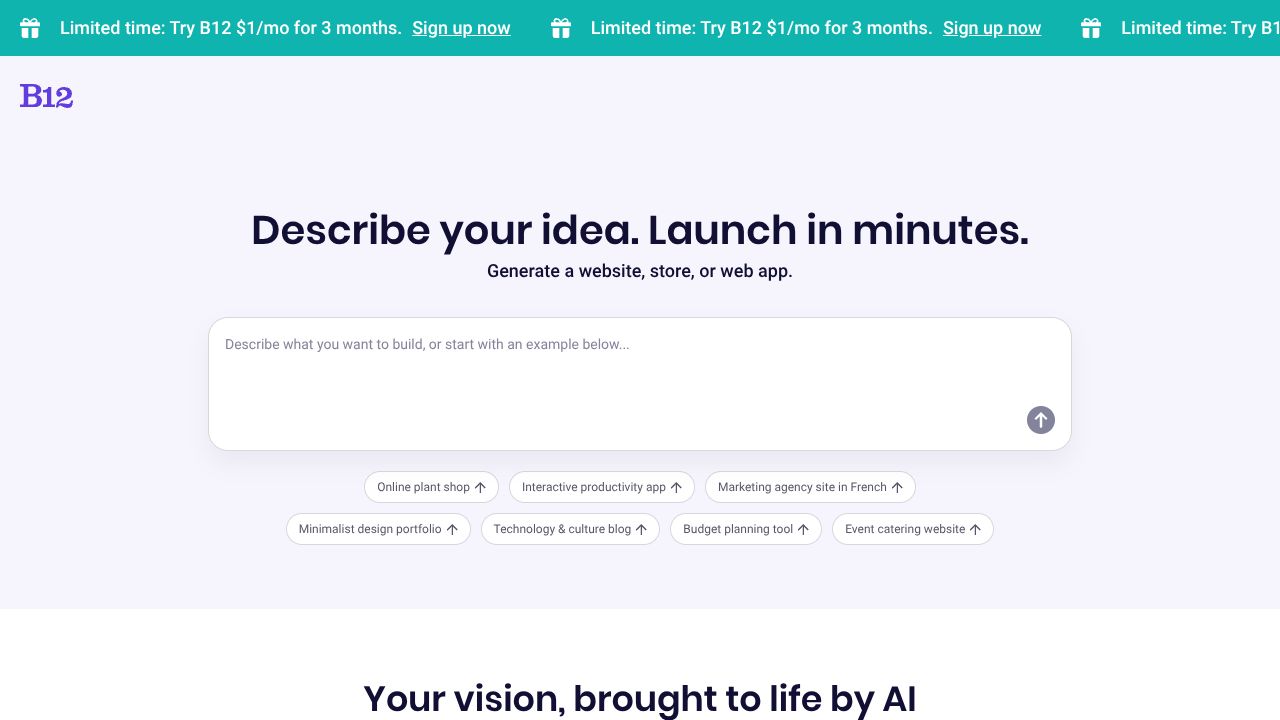
- Go to https://b12.io and hit Get started (free tier is fine to validate).
- Answer the AI prompts:
- Business name and what you offer (e.g., “Open-source feature flagging for startups”).
- Audience (developers, DevOps, data teams).
- Core benefits (speed, security, interoperability).
- Pick a starting point from the Template Library. Don’t stress perfection — you’ll customize sections anyway.
- Generate your site. In the editor:
- Rename “Services” to “Features,” “Testimonials” to “What Developers Say,” and “Contact” to “Request Access” or “Join the Beta.”
- Add one crisp CTA above the fold (e.g., “Install via npm” or “Get API Key”).
- Connect a domain: Settings > Domain. Point DNS (A/CNAME) as instructed. SSL is automatic.
- Publish with one click. Confirm your sitemap and indexing are enabled in SEO settings.
Hot take: If you haven’t clicked Publish in under two hours, you’re overthinking it.
Step 2: Core Features You Need to Know
- AI page generation that doesn’t suck
- Feed B12 your one-liner, three feature bullets, and an FAQ. It drafts copy tuned for service-style pages — perfect for dev tool marketing without hiring a copywriter.
- Native SEO baked in
- B12 auto-handles meta titles/descriptions, headings, sitemap, and Open Graph. Edit titles to include your core term (e.g., “OpenTelemetry Collector for Kubernetes | YourBrand”).
- Service templates you can bend to dev tools
- Map “Packages” to pricing tiers, “Projects” to case studies, “Team” to maintainers/contributors. You can spin a Resource Index page listing docs, SDKs, and examples in minutes.
- Easy publishing and updates
- One-click deploys, SSL, and no plugin roulette. Add an Updates page for Platform Updates and changelogs, or link to GitHub Releases if you’re keeping it lean.
- Forms that route to your stack
- Use the built-in form for waitlists or demos. Pipe submissions to email or Zapier → Slack. I tag leads by source using hidden UTM fields.
Step 3: Pro Tips for Developer Tools Professionals
- Build a Resource Index that earns links
- Create a page with sections: “Quickstart,” “API Reference,” “SDKs,” “Templates,” and “Examples.” Link directly to repo folders. Add “copy install command” CTAs.
- Host a lightweight Template Library
- Add cards for each starter (e.g., “Next.js OAuth Starter”), with one-line value props and GitHub links. Include “Updated on” dates — freshness matters for trust and SEO.
- Curate a Tool Registry for your ecosystem
- List verified plugins/integrations. Group by category (CI/CD, Auth, Observability). Each entry: logo, one-sentence value, install command, and maintainer link.
- Treat Platform Updates as a growth channel
- Create an Updates page with versioned entries (e.g., “v1.4.0 — Added Terraform module”). Use consistent H2/H3, date stamps, and link to detailed notes.
- Track conversion like you track latency
- Add GA or Plausible. Set goals on “Get API Key” and “Install” CTAs. Use unique URLs (e.g., /install/npm) for clean attribution.
Common Mistakes to Avoid
- Keeping the default “service” jargon
- Replace “our offering” with developer-first copy: install commands, API snippets, feature flags, and SLAs.
- Thin homepages
- If you don’t surface a Resource Index, pricing, and a clear CTA, devs bounce. Ship depth on day one.
- Ignoring SEO titles and FAQs
- Edit every page title. Add a short FAQ targeting intent (“Is this open-source?”, “Does it work on Kubernetes?”).
How It Compares to Alternatives
- Webflow: More design power and CMS depth, but slower to stand up and more manual SEO tuning. Great for complex content; overkill for a simple launch.
- Framer: Gorgeous visuals and fast iteration; better for product marketing sprints, less opinionated on SEO out-of-the-box.
- Carrd: Lightning-fast one-pagers, but limited multi-page structure and SEO depth. Fine for a pre-launch teaser.
- Wix/Typedream: Friendly editors with decent features, but I find B12’s native SEO defaults and “service-page” scaffolding faster for dev tool sites.
B12’s edge: AI generation that includes SEO by default, so you get a ranking-ready skeleton immediately.
Conclusion: Is B12 Right for You?
If you need an SEO-ready landing page for your dev tool this week, B12 is a yes. It’s my go-to when I want to document the essentials — Resource Index, Template Library, Tool Registry, and Platform Updates — without detouring into design purgatory. If you crave pixel-perfect animations or a heavyweight CMS, look elsewhere. Otherwise, stop overengineering your marketing site and ship. This is the official record of no-code building — and B12 gets you on the record fast.
Interested in B12?
Visit Website